Monitor System Activity Log
The System Activity log lets you monitor the logged events performed on your service.
Interaction Insights keeps system activity logs for two years and automatically deletes them when the retention period ends.
| ➢ | To monitor System activity: |
| 1. | In the Navigation pane, click System Activity Log to view a list of synchronization events with the Service Portal for each managed service entity. |
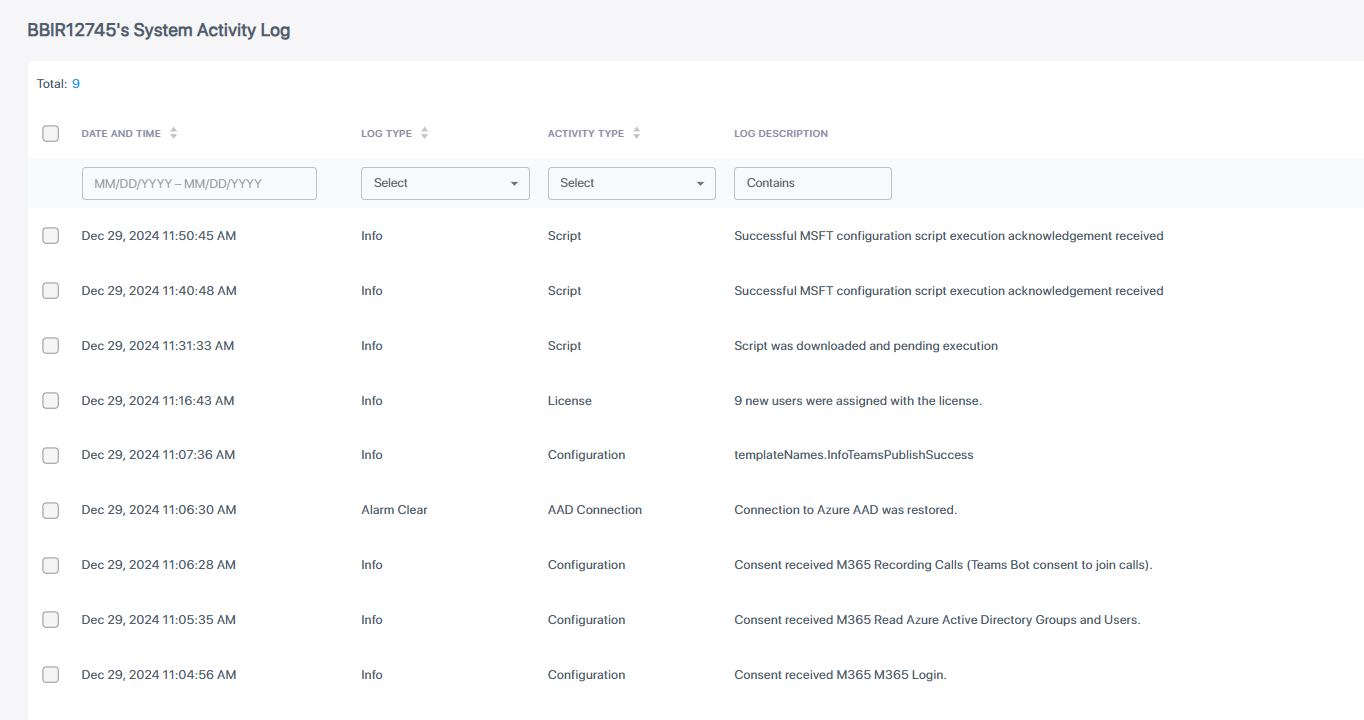
The table below describes the fields in the System Activity Log.
|
Field |
Description |
||||||||||||||||||
|---|---|---|---|---|---|---|---|---|---|---|---|---|---|---|---|---|---|---|---|
|
Tenant Name |
Full Name of the customer tenant service. |
||||||||||||||||||
|
Date and Time |
Date and time when the log event was raised. |
||||||||||||||||||
|
Log Type |
One of the following values:
|
||||||||||||||||||
|
Activity Type |
One of the following values:
|
||||||||||||||||||
|
Log Description |
Description of the log event. |